$195
Donation YTD
Fundamentl gives employees a clean place to find nonprofits, submit gifts, request matches, use incentives, upload receipts, and track their own impact while admins keep rules and reporting intact.
The product thesis
The employee experience is not a smaller admin portal. It is a guided giving wallet with controls underneath.
Employee portal
Give, match, use incentives, track impact
$195
Donation YTD
$805
Match available
4
Charities reached
7
Receipts saved
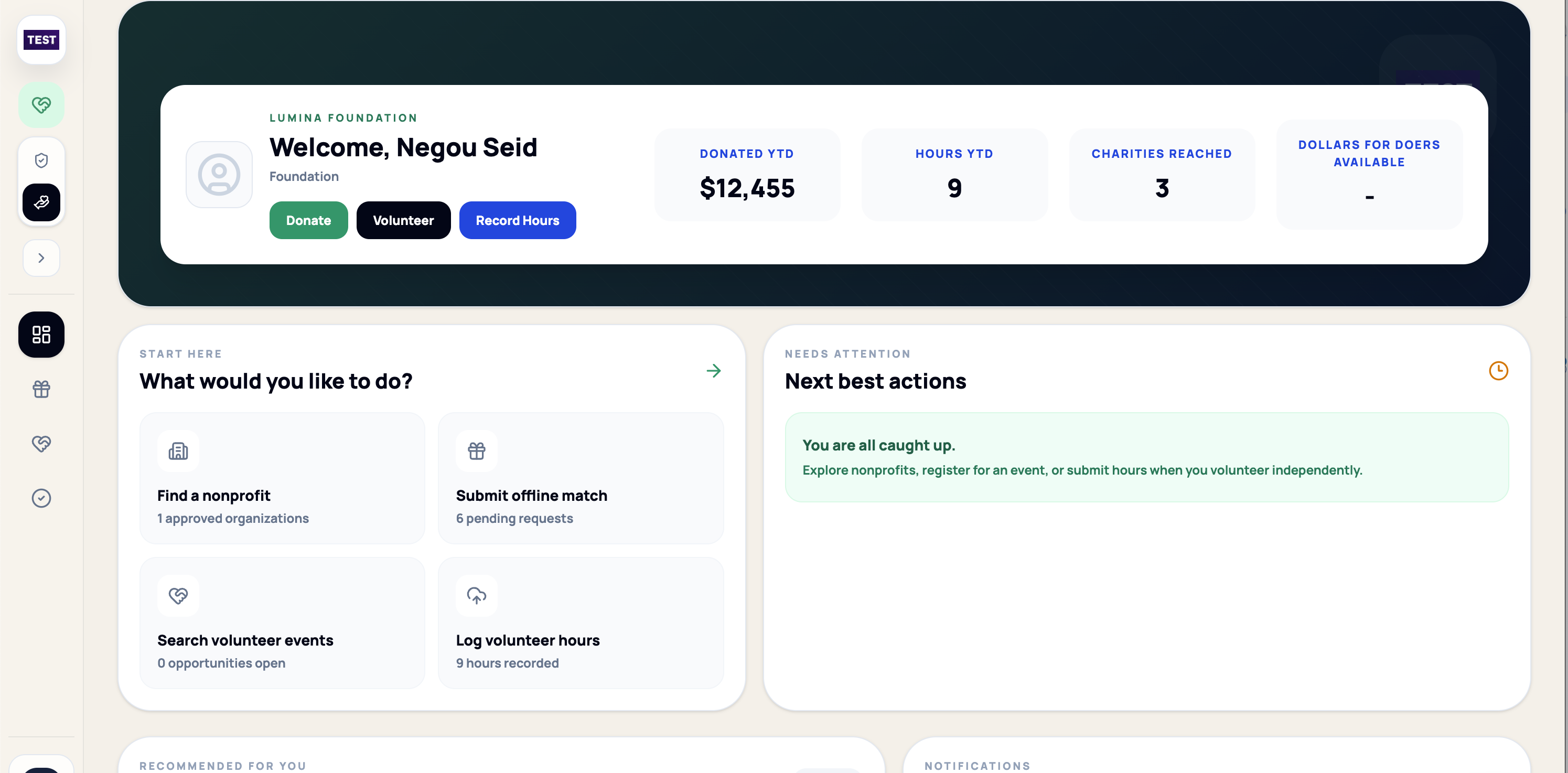
Employee product view
Employees can find nonprofits, donate, submit matches, volunteer, record hours, and follow their next steps without entering the administrator workspace. Shown with sample data.
Giving flow
EIN, name, location, cause, employee-created record
Donate, request match, use incentive, join campaign
Receipt, payroll record, note, or admin exception
Submitted, under review, approved, funded, returned
YTD donated, matched, incentives used, charities reached
Admin controls underneath
Allowed domains, employee profiles, nonprofit records, receipt requirements, match rules, incentive balances, and reporting context stay attached behind the simple giving flow.
Verified employee
Nonprofit record
Receipt required
Impact visible
Practical guides
Use these field guides to define the employee journey, administrative controls, matching policy, implementation sequence, and reporting model before choosing software.
A better employee giving demo
Search, select a nonprofit, request a match, upload proof, use incentives, and track the impact record.